DJI Mini 4 Pro Review: The Drone You'll Actually Fly
Most people who buy drones fly them three times and abandon them. The DJI Mini 4 Pro is the one that breaks this pattern. Here's why.
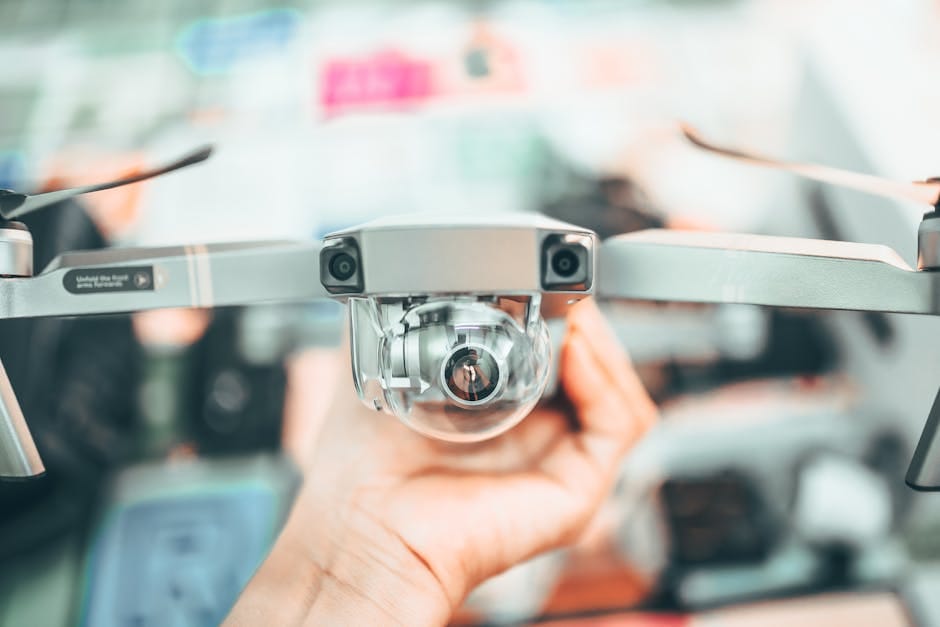
The history of consumer drones is a history of disappointment. People buy the dream — aerial footage, travel photos from above, an expanded view of the world — and within six months the drone lives in a closet. The reasons are consistent: too heavy to carry casually, too regulated to fly without paperwork, too fiddly to launch quickly, and in the end, too much friction for what turns out to be a once-a-month hobby.
The DJI Mini 4 Pro is the first consumer drone I've owned that actually got flown regularly a year after purchase. The Mini line was designed specifically to solve the friction problems — weight, regulation, portability. The 4 Pro is the version where DJI finally combined the Mini's practical form factor with image quality that no longer feels like a compromise.
Why the Mini 4 Pro specifically
Weighs 249 grams — under the 250-gram registration threshold in the US, UK, and EU. You can fly it in many places without a drone license or special certification. That single spec matters more than any image quality stat.
At 249 grams, it's the drone you actually put in a backpack for a hike or a beach day. The 909-gram DJI Air 3 is capable but impractical. The 249-gram Mini 4 Pro is always there when the light is right.
Image quality: 4K/100fps video, 1/1.3-inch sensor, vertical shooting mode, and a lens with variable aperture. Capable of genuinely professional-looking aerial footage, not just "drone shots."
Flight time: 34 minutes on the standard battery, 45 minutes on the extended battery. Long enough to actually capture what you came for without constant anxiety about battery.
A year of ownership
Flight days: about 40. That's 40 more than most drones get. The Mini 4 Pro is small enough that I bring it on weekend trips, take it to parks with the kids, use it for establishing shots on projects.
Footage quality: consistently good. The ActiveTrack 360 follows moving subjects (boats, cars, running people) reliably. The obstacle sensing prevents the expensive errors that killed my previous drones.
Problems encountered: one SD card corruption issue (resolved by reformatting). One software update that temporarily bricked the controller (resolved by factory reset). Zero hardware failures. Zero crashes in a year of flying.
The controller options
Standard RC-N2 controller — included in base kit
Uses your phone as the screen. Fine for short flights but the combined setup (controller + phone + cables) is annoying to set up each time.
DJI RC 2 controller — $229 additional
Built-in screen, no phone needed. Faster launch, cleaner setup. For anyone who will fly more than 10 times a year, the DJI RC 2 is a legitimate upgrade.
The all-in-one controller transforms the flight experience. Turn on controller, drone, launch, fly. No phone pairing, no apps to open, no dongle cables.
The Fly More Combo: worth buying
The Fly More Combo adds two additional batteries, a charging hub, extra propellers, and a carrying case for $899 versus $759 for the base kit. Paying an extra $140 for two more batteries is cheaper than buying the batteries separately later ($99 each).
Skip the combo only if you know you'll never need more than one battery of flight time. For most users, Fly More is the right purchase.
Image quality honest assessment
The Mini 4 Pro produces excellent footage for its size. Not indistinguishable from full-size drones or professional camera drones, but notably better than phone cameras or older consumer drones.
Specifics:
- Daylight stills: Excellent. Resolution is high enough for 13x19 prints.
- Low-light video: Acceptable up to ISO 1600, degrades beyond that. The Air 3 does better, but the Mini 4 Pro is fine for most dusk scenarios.
- 4K/100fps slow motion: Genuinely useful. The footage looks smooth and professional.
- Dynamic range: Good for the sensor size. Hold-the-highlights in mixed light situations works about 70% of the time.
For casual creators, YouTube videos, social content, and personal memories, the Mini 4 Pro image quality is more than enough. For wedding videographers, real estate professionals needing perfect window-to-sky exposure, or filmmakers doing paid work, the larger-sensor drones are still superior.
Obstacle avoidance: the feature that prevents disasters
The Mini 4 Pro has omnidirectional obstacle sensing — cameras and sensors on all sides detect obstacles during flight. In practice, this means:
- The drone stops automatically before hitting trees during ActiveTrack follows.
- Tight cityscape flights are possible without constant manual reactions.
- Wind-pushed drift toward obstacles gets corrected by the drone itself.
For casual users who fly occasionally, obstacle sensing is the difference between losing a drone in year one and keeping it for three years. Previous Mini models lacked comprehensive sensing. The 4 Pro's sensing system is the quiet killer feature.
Transmission range
DJI OcuSync 3+ transmission gets around 20 km in open areas in the EU (10 km in US due to regulation). You won't use more than a kilometer of that range in casual flying — line-of-sight regulations and practical subject matter limit how far you go.
Where the range matters: reliability in crowded RF environments (cities, events). The 4 Pro maintains video signal in places where older drones started stuttering. Never lost a feed during a year of varied flying.
Regulatory realities
Under 250 grams is the magic line. Below it, many countries reduce or eliminate registration requirements. Above it, you need to register the drone, potentially carry a license, and follow more restrictive flight rules.
The Mini 4 Pro at 249 grams fits under the line in:
- United States (no registration required for recreational flight under 250g).
- United Kingdom (registration required but easier process).
- European Union (falls into C0 class, fewer restrictions).
- Canada (no registration under 250g).
But no weight class exempts you from flight restrictions — no-fly zones near airports, national parks, sensitive infrastructure. Always check local rules before flying somewhere new.
Skills to learn
The Mini 4 Pro has intelligent flight modes (ActiveTrack, Hyperlapse, QuickShots) that automate most footage you'd want as a beginner. But manual skills worth developing:
- Slow, smooth sticks: Most beginners over-control. The drone handles small corrections better than aggressive input.
- Reading the wind: Drones struggle in high wind even with obstacle sensing. Learn to look at tree movement and flags before flying.
- Return-to-home calibration: Always take off from an open area away from obstacles. RTH will fly directly back to takeoff point.
- Battery landing thresholds: Don't fly into low-battery warning territory. Land with 20% remaining minimum.
A few hours of deliberate practice makes you significantly more capable. YouTube tutorials from DJI Academy are genuinely useful.
Compared to iPhone video
The iPhone 15 Pro and later shoot excellent video. In situations the drone can't access (tight indoor spaces, fast-moving hand-held work), the iPhone is superior.
The drone wins in every situation where elevation, movement through space, or establishing shots matter. A shot from 50 meters up over a beach or lake is a shot an iPhone cannot get, no matter how good its processing is.
The Mini 4 Pro complements an iPhone rather than replacing it. Different tools for different shots.
What to skip
Skip older DJI Mini models (Mini 2, Mini 3, Mini 3 Pro) for new purchases. The 4 Pro's obstacle sensing is a significant upgrade over the 3 Pro's forward-only sensing.
Skip the DJI Avata FPV drone unless you specifically want racing-style first-person flight. It's a different category.
Skip generic "cheap drone" brands (Holy Stone, Potensic, etc.). The image quality is genuinely worse, the transmission is unreliable, and the obstacle avoidance is either absent or unreliable. DJI is dominant for good reasons.
Skip buying the Mini 4 Pro if you have no specific use case. Drones are not an item to own hypothetically. If you're not planning to bring it somewhere specific — a vacation, a hobby project, a wedding favor video — it will gather dust.
The real test
A drone is worth owning if you can think of at least three specific scenarios in the next six months where you'd want aerial footage. A hiking trip with friends. A family gathering at a scenic location. An investment property you want to photograph. A kayaking adventure.
If you can't think of three, the drone will be a closet item. If you can, the Mini 4 Pro is the drone that makes actually using it easy enough that you'll follow through.
One year in, the Mini 4 Pro is the consumer drone I'd recommend without reservations. It solved the "friction problem" that killed my previous drones. It produces genuinely good footage. It fits in a daypack. It flies reliably. And at $759-899 it's priced to justify the investment for casual use. The DJI Air 3 and the Mavic 3 Pro are better drones technically — and worse for actually using because you leave them at home.