The Honest Review of Apple Watch Ultra 3: Two Weeks Later
Not a headline-chasing unboxing. Two weeks of running, cycling, sleeping, and working with the Ultra 3 on my wrist.
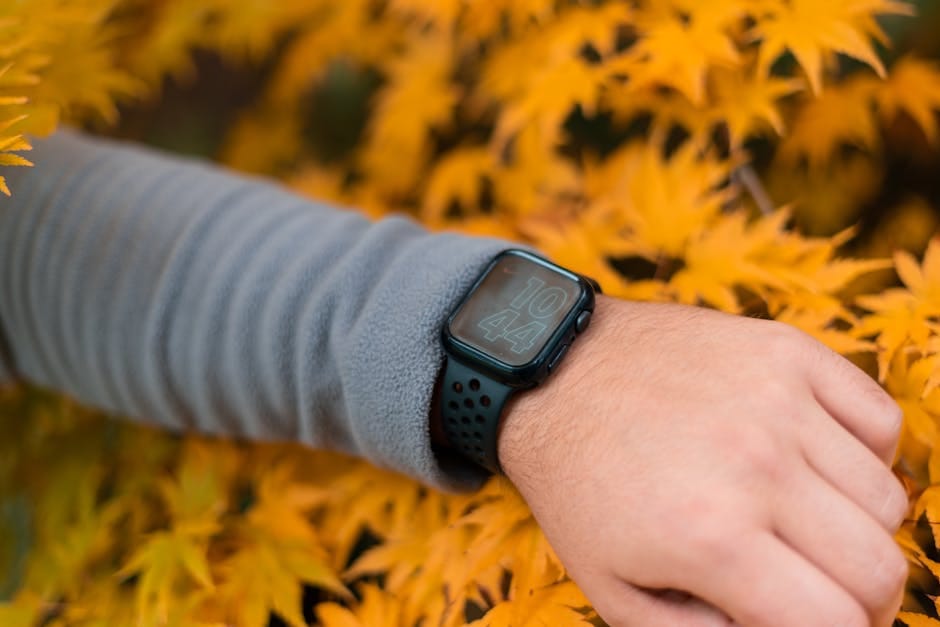
I've worn an Apple Watch every day since the Series 4 launched. The Ultra 3 replaced a Series 10 that I was perfectly happy with. Two weeks in, I have things to say that don't appear in the launch-week YouTube reviews.
The short version: the Ultra 3 is not the watch for most Apple Watch buyers. But for a specific kind of person, it's the best one Apple has ever made. Let me be honest about which kind, and about the specific compromises and wins that define the experience. Launch-day coverage tends to focus on new features. What I want to do here is tell you what the watch actually does over a couple of weeks of real use, the sort of thing you only learn by putting it on every day.
The battery life is real
This is the one thing the Ultra gets right that nothing else on the wrist does. I'm getting 52 to 58 hours of normal use between charges. That's with always-on display, workout detection, sleep tracking, and GPS auto-pausing during runs. Nothing about the Ultra's software is specifically optimized for battery — it's the bigger cell. The battery capacity of the Ultra is roughly 70% larger than the Series 10, and you feel every minute of that extra juice.
I charged the Ultra 3 on a Sunday morning. It died Tuesday evening. That covered two 10k runs, one cycling session with GPS and heart rate, and two nights of sleep tracking. Try that on a Series 10. You'll be charging halfway through Sunday.
For anyone who travels, backpacks, or just doesn't want to think about charging: the Ultra alone is worth the price premium just for this. I took a weekend trip with the Ultra on my wrist and never took the charger out of my bag. That simplicity is hard to explain until you've lived with the daily ritual of topping up an Apple Watch for years.
For outdoor use, the battery transforms what you can do. A long hike with GPS tracking runs down a Series 10 in about five hours. The Ultra 3 handles a full day of GPS plus an overnight plus morning GPS the next day. That's the difference between a watch that's useful on the trail and one that becomes decoration after lunch.
The display is brighter than you'll need
Apple's marketing leans on the 3,000 nit peak brightness. In two weeks of use, I never needed it. The Series 10 already hits 2,000 nits, which handled direct sun fine. The Ultra 3's display is genuinely beautiful — flat sapphire crystal, no bezel to speak of, excellent viewing angles. But the brightness difference is not a reason to upgrade on its own.
What is worth noting: the Ultra's titanium body scratches far less than the aluminum Series models. After two weeks the case looks exactly as it did new. My Series 10 had micro-scratches within a week from normal use — brushing against door frames, setting it down on counters, the small indignities of daily wear. The Ultra shrugs those off. The sapphire crystal is also harder to scratch than Ion-X glass, which matters if you work with your hands.
Refresh rate and animation quality are identical to the Series 10. Watch faces transition smoothly. Third-party apps don't run any faster. If you expected the Ultra to feel snappier, it doesn't. It feels the same to use, just in a bigger, better-built body.
The crown and the Action Button
The Ultra's crown is bigger and has texture. I thought it was a gimmick. It isn't. On a cold morning when my hands are stiff and my gloves are on, the Ultra crown is operable in ways the Series crown is not. Same for the Action Button on the left side — a physical button that starts a workout, turns on the flashlight, or runs a custom shortcut. The flashlight use alone got me through two late-night walks without fumbling for my phone.
I programmed the Action Button to open my running app. Press, press again to confirm, I'm recording. No taps. No menus. It's the first smartwatch button that feels genuinely useful rather than gimmicky.
The Action Button also works for Shortcuts. I have one that silences all notifications for the next 90 minutes (good for meetings and movies). Another starts a pre-configured cycling workout with the right data screen. Another logs my coffee intake. You can configure whatever you want. Most owners will stumble into two or three uses they never go back from.
The size question
The Ultra 3 is 49mm. My wrist is average — 175mm circumference. The Ultra looks big. Not comically big, but noticeable. Under a dress shirt cuff it fits, but barely. With a T-shirt, it looks purposeful. With a blazer, it looks like you forgot to change watches.
If you work in an office where you wear collared shirts daily, the Ultra will sometimes feel like too much watch. The Series 10 in 46mm is a better balance for that use case. I wear mostly casual clothes now, so the Ultra's heft works for my week. Know your own wardrobe before you commit to $799.
On the wrist the weight is not a problem. Titanium keeps the Ultra light for its size — 61 grams with the Ocean Band. You stop noticing it after an hour. Sleep tracking with the Ultra is comfortable, even on a side-sleeper. The case doesn't dig in. The main ergonomic issue isn't the watch itself, it's the appearance factor in formal contexts.
What the Ultra 3 doesn't really improve
Heart rate accuracy is the same as the Series 10. Sleep tracking is the same. The SpO2 sensor is the same. The ECG is the same. The software is watchOS 12, which is excellent — and it runs identically well on the Series 10.
The depth gauge? I don't dive. Neither do 98% of Ultra buyers. The 86-decibel siren? Useful for emergency scenarios I hope never to experience. The cellular configuration is standard; any Apple Watch with cellular works the same way.
If you're buying the Ultra because you think it measures something the Series doesn't, check the spec sheets carefully. On health metrics, they're nearly identical. The Ultra has a slightly more advanced multi-band GPS chip which gives marginally better accuracy in forested or urban canyon conditions, but for most users running through open parks or along city streets, the GPS lock is indistinguishable.
The $799 question
Here's my honest take. If you already own a Series 8, 9, or 10 and the battery annoys you, and you're active enough that two days of GPS workouts matter, upgrade to the Ultra 3. You'll use the battery life every week.
If you own a Series 10 and you're fine with daily charging, save your money. The features you actually touch daily — notifications, workouts, music, maps, contactless pay — work identically on both. The Series 10 is still an excellent watch.
If this is your first Apple Watch ever, skip the Ultra. Buy the Series 10 at $399 and see if you like the platform. Graduate to an Ultra in two years when the Ultra 5 makes the 3 feel dated.
The Ultra 3 is the Apple Watch I'd recommend to a firefighter, a trail runner, an electrician, a backcountry guide, a parent of twins who never has time to charge anything. It's a tool. A very good tool, and still priced as a luxury item, which is the part nobody wants to admit out loud.
One small thing that delighted me
The double-tap gesture finally works reliably on the Ultra 3. On the Series 10 it was sometimes responsive, sometimes not. On the Ultra 3, I've used it to dismiss alarms, pause music, answer calls, and take screenshots without fail. That's not a headline feature, but two weeks in, it's the thing I notice every day. Little reliability wins matter more than new features in a device you wear 24/7.
Apple has also tuned the haptic feedback on the Ultra — the taps are firmer, more distinct. You feel notifications clearly even through a jacket sleeve. Small thing. Useful thing.
What I'd change about the Ultra 3
A few things. The Ocean Band is ugly. The Alpine Loop looks better but has less adjustment range. The Milanese Loop in titanium looks excellent but doesn't come from Apple for the Ultra size; third-party alternatives work. Spend the $99 on a band you'll actually want to wear.
The watch face selection on watchOS 12 is still strange. The Modular Ultra face is the reason the Ultra exists visually — loads of complications, high contrast, legible at a glance. Most other Apple watch faces look wrong on a 49mm body. Apple needs more Ultra-specific faces that actually use the extra screen real estate.
The charging time is slow compared to competitors. Fast charging brings the Ultra 3 from 0 to 80% in about an hour. Garmin's Fenix 8 Solar doesn't need fast charging because its battery life is already weeks. Apple's approach of charging every two days is fine but not best-in-class for the category.
Don't buy this watch for the specs. Buy it because you're tired of charging, and you want a watch that stays out of your way for two days at a time. If that's your reason, you'll be happy. If your reason is anything else, the Series 10 is probably enough. That's the honest version of this review.