The E-Reader Debate: Kindle Oasis vs Kobo Libra 2 After Six Months
Which e-reader wins after six months of heavy use? I bought both and switched back and forth. Here's the verdict.
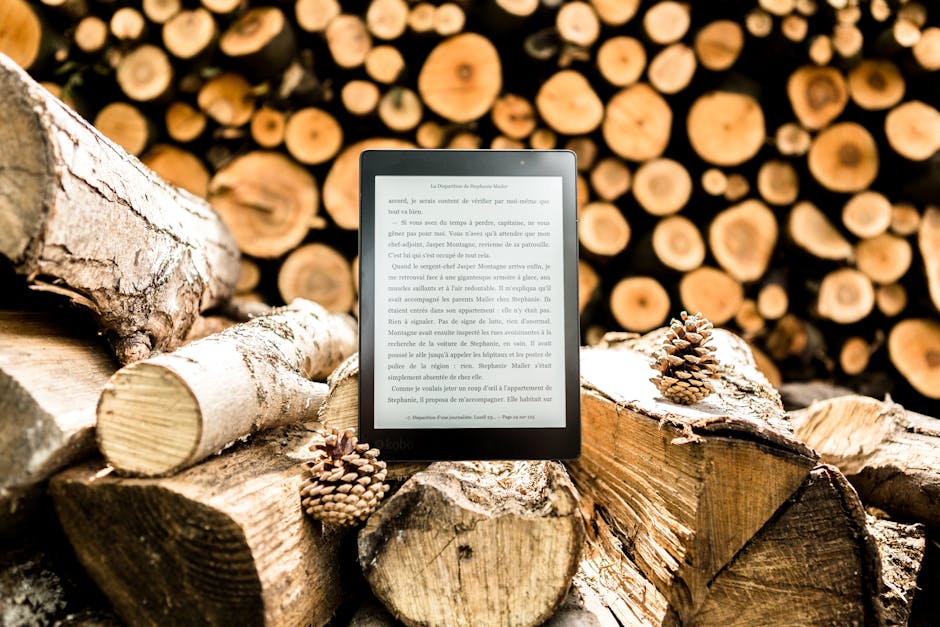
For years I was a Kindle loyalist. I bought into the Amazon ecosystem, accumulated a library of a few hundred books, and assumed that was the only sensible way to read digital. Then a friend handed me his Kobo last summer and said "just try it." I ended up buying one. Six months later, I've used both Kindle Oasis and Kobo Libra 2 as my daily reader. Here's what I learned.
The headline: Kobo is the better device for anyone who isn't locked into Amazon. Kindle is still the right choice if you've already bought a lot of books from Amazon. The specifics matter, though, and most reviews compare them on superficial features. Let me tell you what actually differs in daily use.
Hardware: surprisingly even
The Kindle Oasis (11th generation, the current version) and the Kobo Libra 2 are genuinely close on hardware. Both have 7-inch E Ink screens. Both have page-turn buttons — an underrated feature you'll miss the moment you try a button-less e-reader. Both have front-lit displays with adjustable warmth for night reading. Both are IPX8 waterproof.
The Oasis has an asymmetric design with a thicker grip on one side, which some people love and others dislike. The Libra 2 has a more symmetric design with the buttons on one side. Both are comfortable. I've used each for hours in bed and neither became fatiguing.
Screen quality is genuinely identical to my eye. Both use E Ink Carta panels with the same pixel density. Text renders the same. The lighting is the same. If you A/B tested them side by side, you'd struggle to pick one as better.
Build quality: the Oasis feels more premium. The Libra 2 is plastic that feels exactly like plastic. Neither has disappointed me in durability — both have survived being dropped, squished under pillows, and taken on planes.
Where the devices actually diverge
File format support
The Kobo reads EPUB natively. The Kindle does not. This matters if you buy books from anywhere other than Amazon — Kobo, Rakuten, Apple Books, your local independent e-book store, Project Gutenberg, your public library via OverDrive or Libby. The EPUB comes in, you read it, done.
With the Kindle, you have to convert EPUB to MOBI or AZW3 using Calibre before transferring. It works, but it's a step, and it means you're always one software update away from a conversion bug. Amazon deliberately doesn't support EPUB because they want you buying from them.
The Kindle does read the Amazon-native KFX format perfectly, which is nice if you buy everything from Amazon. It also reads PDFs poorly — both devices do, but the Kindle is marginally worse at reflowing text.
Library integration
Kobo integrates with OverDrive/Libby directly. You log in once, and your public library shows up as a source. Borrow a book, it shows up on the Kobo in seconds, no sideloading, no USB cables. This alone is worth the price for anyone who reads library books.
The Kindle supports Libby through a separate flow — you borrow on the Libby app, send to Kindle, and it arrives over Wi-Fi. It works. It's one extra step compared to the Kobo's native integration.
Bookstore selection
The Amazon Kindle Store is bigger. It's not even close. If you read recent best-sellers, popular nonfiction, or genre fiction, Amazon has everything. Kobo's catalog is 80% of what Amazon has, with the gaps being in niche indie titles and some publisher-specific exclusives.
But: Kobo's prices are often better, especially on sales. And the Kobo Plus subscription ($7.99/month) gives unlimited access to a selection similar to Kindle Unlimited. If you're a subscription reader, it's roughly a wash.
Typography and customization
Kobo wins here decisively. The font rendering is more granular — you can adjust margin, line spacing, and font size in smaller increments. Kobo supports custom fonts (side-loaded via USB). The look of a page is entirely under your control.
Kindle's typography is fine, but less customizable. The default rendering is good. The range of options is narrower.
If you're the kind of reader who fine-tunes layout, Kobo is the obvious choice.
Software experience
Kindle's interface is cleaner on first launch. Amazon has spent more time polishing the reading experience. Opening a book, adjusting brightness, accessing the dictionary — all slightly smoother.
Kobo's interface has more features but is slightly less refined. The home screen shows your current reads, your wishlist, your borrowed books, and suggested titles. It's busier. Once you use it for a week, you adapt.
Neither device has a usable browser. Don't try. Neither has good article-reading integration, though Kobo's Pocket integration works if you use Pocket.
The annotations question
Kindle's annotation sync to your Amazon account and can be exported. Kobo's sync to your Kobo account but are harder to export.
If you highlight a lot and use those highlights for work or study, Kindle has the better export options via Readwise integration and direct Amazon API access.
If you just highlight for reading enjoyment, neither is notably better.
Price: the ongoing difference
Kindle Oasis: $279 base, discontinued in 2024. Current equivalent Kindle Scribe or Paperwhite Signature Edition is $189-249.
Kobo Libra Colour (current): $219.
Kobo Libra 2 (previous, still sold): $189.
Kobo is almost always the cheaper option at feature parity. And Kobo includes the cover accessories more often — they bundle cases into starter packs that Amazon sells separately.
The ecosystem lock-in question
If you have 100+ books from Amazon, the cost of switching is real. You'd need to strip DRM from the Amazon books (technically against ToS, but widely done), convert to EPUB, and side-load to Kobo. For most people, the existing library anchors them to Amazon.
If you're starting from scratch, start with Kobo. The ecosystem is more open. Your books are in EPUB format. You can move them to any future device that supports EPUB, which is most of them.
If you have significant Audible content, Kindle wins for the Whispersync feature — the ability to switch between reading and listening in the same book. Kobo doesn't have an equivalent.
Which one I keep using
I kept both. The Kobo is on my nightstand for library books. The Kindle is in my travel bag because my existing library of books is on it. If I'd started from scratch today, I would have bought only the Kobo.
For someone asking me which to buy:
- If you want to borrow from your public library: Kobo.
- If you buy most books from Amazon: Kindle Paperwhite Signature Edition.
- If you have a mixed e-book collection or want flexibility: Kobo.
- If you listen to Audible frequently and want Whispersync: Kindle.
- If you want the premium hardware experience specifically: Kindle Oasis used or Kindle Scribe.
What I'd skip
Skip the cheap Kindle (the non-Paperwhite base model). The screen lighting is different — still acceptable, but a real downgrade from the Paperwhite or Oasis. For $30 more, the Paperwhite is a much better device.
Skip the Kobo Clara HD. It's smaller and doesn't have page-turn buttons. The Libra 2 is the right form factor for most readers.
Skip the Kindle Scribe if you just want to read books. It's for note-taking and PDF markup primarily. As a pure reading device it's heavy and cumbersome.
Skip any tablet as a book reader. iPads and Androids have LCD screens that tire your eyes on long reading sessions. The whole point of an e-reader is the E Ink screen, which is fundamentally different.
A month of Kobo changes your reading
Here's the unexpected part of switching. With easy library access, I started borrowing more and buying less. That shifted my reading habits toward newer titles and more experimentation with authors I wouldn't have risked $14.99 on. My total book consumption went up. My book spending went down.
That's the real productivity win of the Kobo, and it's not in the spec sheet. The device design specifically enables a behavior Amazon doesn't incentivize: reading more books from sources other than Amazon. If you view reading as a hobby with a budget, that matters.
Six months in, the Kindle gets used on flights when I don't want to think about whether I've downloaded the right book. The Kobo gets used every other night. If I could only keep one, it would be the Kobo, which is the answer I didn't expect when I started this experiment.