Portable Monitors for the Traveling Professional
The portable monitor category has matured. Here are the models worth packing and which ones to avoid.
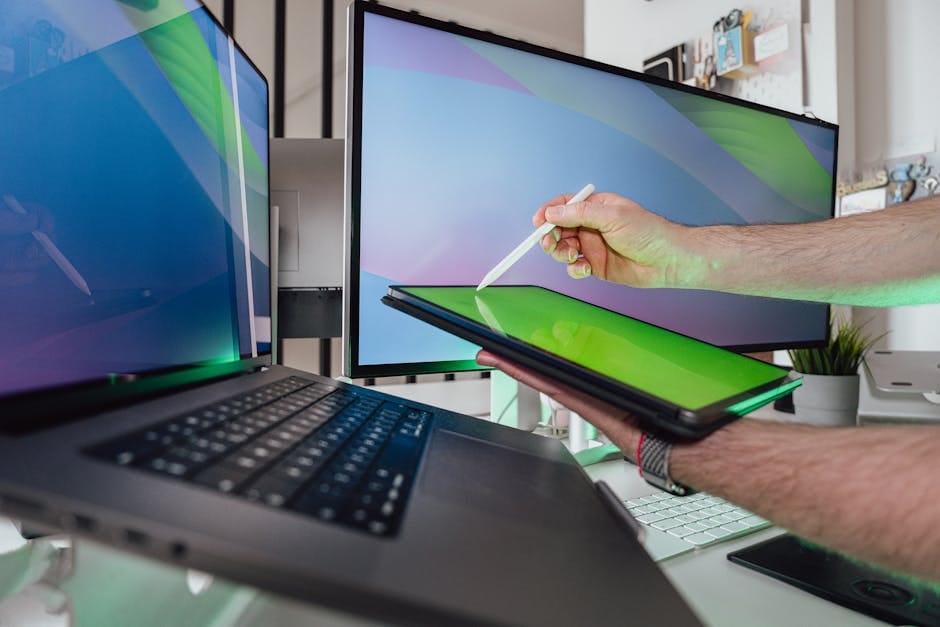
Laptop screens are not big enough. Anyone who works on a 13-inch or 14-inch laptop knows this. At home, you add an external monitor. When traveling, you struggle with the laptop alone.
Portable monitors solve this. A USB-C-powered 14-inch display in a thin form factor that fits in a backpack. Plug in one cable, get dual-display productivity anywhere. The category has matured significantly. The products actually work now.
Here's which ones to buy and why.
The best portable monitor — ASUS ZenScreen MB16AHT — $349
16-inch, 1920x1200 IPS panel. USB-C with power delivery passthrough (so it can power your laptop while connected). Touchscreen. Included sleeve case and stand.
What it does right: complete package for traveling professionals. Touch input is genuinely useful for presentations. Kickstand position is adjustable. Cable management is clean with a single USB-C.
Weight: 1.8 pounds. Reasonable for a 16-inch display.
LG gram +view 16MQ70 — $349
16-inch, 2560x1600 resolution. USB-C. Designed to pair with LG gram laptops (matching bezel and finish), works with any USB-C laptop.
What it does right: 2K resolution is meaningful improvement over 1080p. High brightness (350 nits) works in brighter environments. Included magnetic attachment case doubles as a stand.
What it's weaker at: not touchscreen. Less versatile than ASUS for tablet-like use.
Arzopa A1 Gamut — $229
Budget-friendly portable monitor. 15.6-inch, 1920x1080 IPS panel. USB-C and mini-HDMI inputs. Thin, lightweight.
What it does right: surprisingly good value for the price. Color reproduction is reasonable. Construction feels fine for the price tier.
What it's weaker at: lower resolution than premium options. No touchscreen. Plastic construction that doesn't feel premium.
For occasional travelers who need a second screen without paying flagship prices, Arzopa is the value play.
Uperfect UCONNECT — $249
Detachable portable monitor with multiple connection options. USB-C for most laptops, mini-HDMI for systems that don't support USB-C video output.
What it does right: flexible connection. Works with older MacBooks, Windows laptops without DisplayPort Alt-mode, and consoles via HDMI.
What it's weaker at: less refined than premium options. Slightly less polished interface.
ASUS ZenScreen MB16AH — $249
The non-touch version of the MB16AHT. Same display quality, same form factor, $100 less for skipping touch input.
For most users, touch isn't essential. The MB16AH is the better value.
What to look for
USB-C with power delivery
The monitor should be able to pass power through to the laptop. This way, one USB-C port on your laptop connects to monitor, and the monitor connects to power. The laptop charges while displaying.
Without power passthrough, you need the laptop's own USB-C port for charging, leaving fewer ports for other peripherals.
Display quality
1080p is the minimum. For a 14-inch display, this is sufficient. For a 16-inch display, 1440p or 2K is better — text starts looking pixelated at 1080p on larger portable screens.
Color accuracy: 75%+ sRGB coverage is the minimum. 100% sRGB is better.
Brightness: 300 nits minimum for daylight visibility. 400+ for outdoor use or well-lit rooms.
Stand and case
The included case should function as a stand. This saves carrying a separate accessory.
Kickstand monitors (like the ASUS) have built-in integration; they don't need the case for a stand.
Connection types
USB-C is preferred — works with most modern laptops.
Mini-HDMI or HDMI provides compatibility with older systems or game consoles.
A monitor with both USB-C and HDMI is more versatile.
What to skip
Skip portable monitors under $150. The quality is genuinely poor. Viewing angles are narrow, colors are washed out, build quality is flimsy.
Skip "glossy screen" portable monitors. Reflections in airport lounges or coffee shops make them unusable. Matte anti-glare coating is essential for travel.
Skip "curved" portable monitors. The curvature in such a small display is gimmicky and reduces off-axis viewing.
Skip monitors without USB-C power delivery. The cable setup becomes awkward.
The use cases
Business travelers
Connected to laptop in hotel rooms for effective remote work. Side-by-side presentations for client meetings (laptop has notes, monitor shows slides to client).
Freelancers living out of airports. Video editors reviewing footage on the road. Traders watching multiple markets.
Home office expansion
Some users keep a portable monitor at home as a third display. Plugs into laptop or desktop alongside main monitor. Flexible for different room positions.
Console gaming hotel trips
A portable monitor with HDMI input lets you travel with a Nintendo Switch or similar console and play in hotel rooms. Some gamers swear by this setup.
Multi-monitor laptop setup
Some laptops don't support multiple external displays. A portable monitor plus the laptop's own display provides two-screen workflow.
The one-bag travel setup
For a minimalist traveler:
- Laptop
- Portable monitor (pack flat against laptop in same sleeve)
- Power bank for flexibility
- USB-C cables (2)
- Portable laptop stand (Roost)
Weight: about 4 pounds total. Fits in any carry-on backpack.
Setup anywhere: hotel room, coffee shop, conference center desk. Dual-monitor productivity without the ergonomic compromise of laptop-only work.
Compatibility considerations
MacBooks
All MacBooks with USB-C work with USB-C portable monitors. MacBook Air M1/M2 support single external display. MacBook Air M3/M4 support up to two. MacBook Pro M3/M4 support up to three.
A portable monitor plus the laptop's own screen is dual-display for all modern MacBooks.
Windows laptops
Check for USB-C with DisplayPort Alt-mode. Most laptops have this; some business-focused models don't.
If your laptop doesn't support USB-C display output, use a USB-C to HDMI adapter with a portable monitor that has HDMI input.
iPads
iPad Air (M2 and later) and iPad Pro (M1 and later) support external displays via USB-C. Connect directly to a portable monitor.
Stage Manager on iPadOS enables reasonable productivity on external display. Not as flexible as a laptop, but functional for some workflows.
Phones
Samsung DeX works on external monitors via USB-C. Samsung's "desktop mode" on external display is surprisingly functional.
iPhones with USB-C (15 and later) can output to external displays but with limited functionality compared to iPad or Mac.
Power options
Portable monitors require 15-25 watts typically. Options:
- Power from laptop's USB-C port (laptop must provide sufficient power, draining laptop battery faster).
- Separate USB-C power adapter (clean setup, requires outlet).
- Power bank that outputs 20W+ (travel-friendly, limited battery life).
For most travelers, a wall-powered portable monitor is the simplest. Power bank for occasional outlet-free use.
The reality check
A portable monitor is a specific tool. For people who travel 10+ times a year and work intensively on those trips, it's a justified investment. For occasional travelers who can get by with just a laptop, it's excess gear.
Before buying, honestly assess how often you'd use it. If you travel weekly, the investment pays back fast. If you travel quarterly, consider whether the extra weight and bulk is worth the occasional use.
For frequent travelers who need real productivity on the road, portable monitors have graduated from niche accessories to legitimate productivity tools. The ASUS ZenScreen MB16AHT or LG gram +view are the right choices. Buy one. Use it for years. The dual-monitor productivity difference transforms travel work.