The Right Mouse Pad Matters More Than You Think
A cheap mouse pad is a daily tax on your productivity. Here's which ones actually improve how you work.
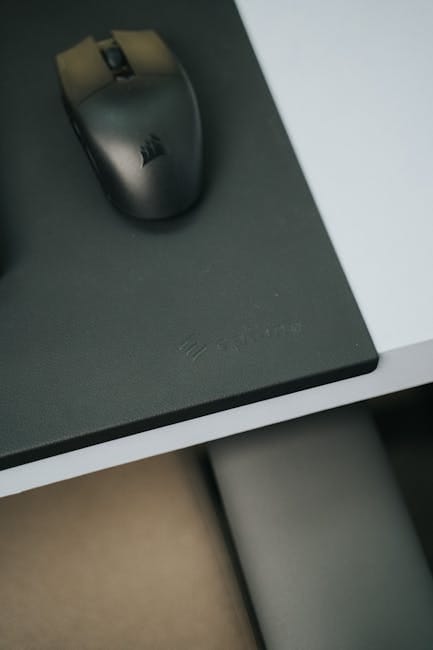
The mouse pad is the tool you touch every few seconds throughout your workday. An average desk worker makes thousands of mouse movements daily. The surface your mouse glides on affects cursor precision, mouse sensor accuracy, and overall feel of every click and swipe. Most people never think about this.
Here's why the mouse pad matters, which ones are worth owning, and why the $5 pad from Best Buy is actively making your work harder.
Why mouse pads matter
Sensor accuracy
Optical mouse sensors read the surface they're on. Consistent, fine-textured surfaces produce consistent tracking. Bumpy surfaces, shiny surfaces, or inconsistent surfaces cause the cursor to jump or stutter.
A good mouse pad provides a calibrated surface for your specific mouse. The Logitech MX Master 3S, for example, tracks more accurately on a textured cloth pad than on a bare wooden desk.
Glide feel
How smoothly the mouse slides affects fatigue and precision. A too-sticky pad requires extra force; too-slick makes precise movements difficult. The right balance depends on your use case.
Desk protection
A mouse pad protects the desk surface from wear. Over thousands of hours of use, constant mouse movement wears finishes on wooden or laminate desks. A pad absorbs this wear.
Aesthetics
The mouse pad is a defined area on your desk. A cohesive aesthetic pad contributes to a well-designed workspace.
The types of mouse pads
Cloth pads (most common)
Fabric surface, rubber base. Smooth, consistent tracking. Absorbs minor sweat and dust.
The default for most users.
Hard plastic pads (rare)
Hard surface. Faster glide but noisier. Less comfortable for the wrist.
Primarily gaming-focused. Less versatile for general work.
Oversized desk mats
Cover most of the desk surface. Include keyboard, mouse, and additional area.
Provides unified desk aesthetic. Protects more of the desk surface.
RGB-lit gaming pads
Standard pads with LED lighting around the edge. Primarily gaming aesthetic.
Light patterns can be distracting during work. Power consumption (USB-powered). Skip for office use.
The pads worth owning
SteelSeries QcK Heavy — $24
The default professional's mouse pad. Cloth surface. Rubber base that stays in place. Surface that's specifically calibrated for modern mouse sensors.
Three sizes: Medium (320x270mm), Large (450x400mm), XL (900x400mm). The XL covers most of a keyboard plus mouse area.
Durability: cloth surface wears evenly. Lasts 3-5 years of daily use before showing significant wear.
Price: $24 for Medium, $39 for Large, $45 for XL.
This is the mouse pad I'd recommend without reservation. Covers all use cases, priced sensibly, lasts years.
LogiLink XXL Desk Pad — $39
Large desk mat approach. Covers keyboard and mouse area. Fabric surface.
For users who want a unified desk surface rather than a mouse-specific pad.
Corsair MM300 Pro — $19
Budget cloth pad. Smaller than QcK options. Adequate for casual use.
For a backup or temporary pad, this is acceptable value.
Razer Gigantus v2 — $39
Extra-large fabric pad. Stitched edges that prevent fraying. Built for long-term use.
Similar to XL SteelSeries QcK Heavy but with stitched edges — lasts longer.
What to avoid
Avoid metal or glass surface mouse pads. They look cool but provide poor sensor tracking. Optical mice need textured surfaces.
Avoid transparent pads over photos/images. The variable surface beneath disrupts mouse tracking.
Avoid pads with stitched edges that have started fraying after 3 months. Stitching quality varies; cheap pads unravel quickly.
Avoid any pad with visible RGB wires exposed. They catch on things and fail.
Avoid the "$5 generic pad from Best Buy." The surface is inconsistent, the tracking is subtly off, and you'll replace it within a year anyway.
Size considerations
Small (250x200mm)
Pocket-sized. Fine for occasional use. Too restrictive for daily work — you'll lift and reposition the mouse.
Medium (320x270mm)
Standard size. Good for most users. Fits typical desk arrangements.
Large (450x400mm)
Better for users with larger monitors who need more mouse movement range. Covers full mouse movement without lifting.
XL / Desk mat (900x400mm)
Covers keyboard and mouse area. Unified aesthetic. Protects more of the desk.
Best for users who want clean desk aesthetics. Some find this excessive.
For most users, Medium or Large is right. XL only for those specifically wanting a unified desk mat.
The wrist rest question
Mouse pads with built-in wrist rests add comfort for some users. They also add complexity and can collect dust.
For casual use: optional. Some users find wrist rests useful; others find them in the way.
For carpal tunnel or RSI: recommended. Wrist support during long mouse sessions helps.
The SteelSeries QcK Heavy doesn't include one. Separate wrist rests (Fellowes Crystal Gel) cost $20 and can be added if needed.
Caring for a mouse pad
Spot clean with damp cloth. Most cloth mouse pads are machine washable (cold water, gentle cycle). Air dry completely before using.
Wipe down weekly. Mouse pads accumulate dust, skin oil, and crumbs. Regular cleaning extends life significantly.
Replace when the surface starts to show uneven wear (smooth spots where the mouse has tracked repeatedly). This reduces tracking accuracy.
For gaming specifically
Gaming mouse pads prioritize speed and precision. For competitive gaming:
- Razer Goliathus Chroma Extended — $59. Gaming-focused with RGB lighting.
- SteelSeries QcK Prism Cloth — $49. High-performance with lighting.
- Logitech G840 — $49. Large gaming pad.
For productivity work, gaming pads aren't better. They're often stiffer to optimize for gaming-specific feel. The regular SteelSeries QcK Heavy works just as well.
The desk matters too
Even the best mouse pad doesn't fix a bad desk surface underneath. If your desk is severely warped, cracked, or missing a section, the mouse pad sits unevenly.
For a permanent desk setup, check the surface is flat and solid. The mouse pad does the rest.
Budget realistic recommendations
$20 budget: Corsair MM300 Pro. Gets the job done.
$30-40 budget: SteelSeries QcK Heavy Medium or Large. The default professional choice.
$50+ budget: XL desk mat (SteelSeries, LogiLink, or Razer Gigantus). Covers more desk, looks more intentional.
Don't spend over $50 on a mouse pad unless you specifically want a designer aesthetic piece. The performance ceiling is reached well before premium pricing.
The perspective shift
The mouse pad is one of those things you use daily for 5+ years. The cost per year of a $39 XL pad is under $10. Per hour of use, it's effectively free.
Spending carefully on desk essentials that you use thousands of times is a better investment than any single flashy gadget. The mouse pad, the chair, the monitor — these are infrastructure. Get them right once and benefit for years.
A better mouse pad doesn't make you more productive in measurable ways. But it removes a daily source of micro-friction — the small stutter in cursor movement, the subtle drag on the mouse, the desk surface you're worried about damaging. Removing friction at the small scale adds up to a work environment that feels right.
Buy the SteelSeries QcK Heavy XL at $45. Put it on your desk. Stop thinking about mouse pads for the next 5 years. That's the practical answer.