Security Cameras That Don't Spy on You: Local Storage Options
Ring charges you to access your own video. These cameras don't. Here's how to build a security system that actually respects your privacy.
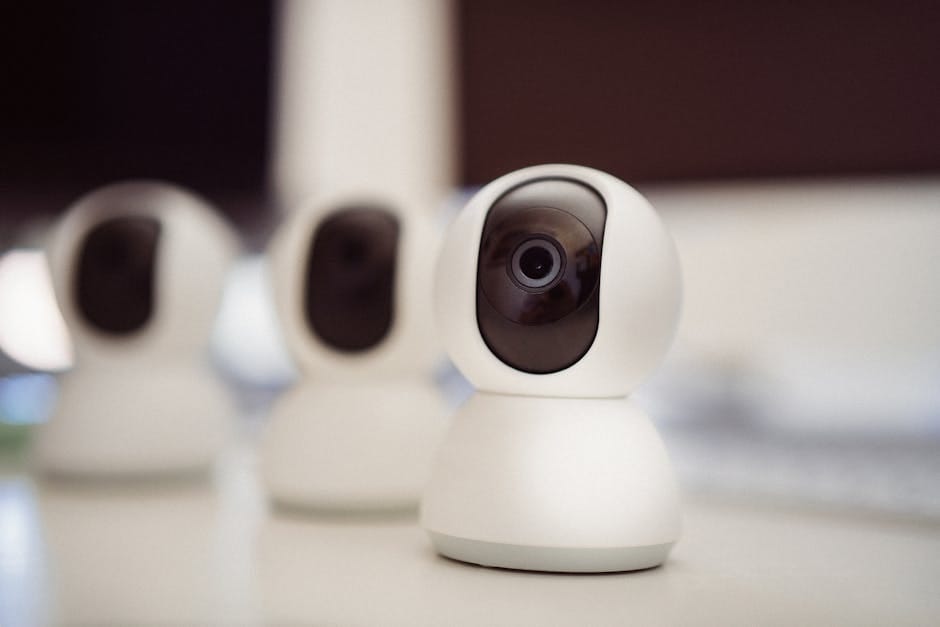
Home security cameras became a subscription racket around 2020. Ring, Nest, Arlo, Wyze — all of them started requiring $3 to $15 per month just to review your own video beyond the last 24 hours. Your footage. Their server. Their rules. In 2026, if you pay attention, you can build a better security system that stays on your network, stores to your NAS or SD card, and costs nothing monthly after the initial purchase.
Here's how to do it, which cameras actually support local storage properly, and why this matters more than people think.
Why local storage matters
Privacy first. Cloud-stored video is accessible to the company that owns the servers. It's accessible to law enforcement with a subpoena. It's accessible to employees of the camera company who have been caught multiple times watching users' private footage. Ring had multiple employee privacy violations in 2019-2023. Arlo had a breach in 2021. The pattern is consistent.
Cost second. Ring Protect Plus is $12/month. Across five years, that's $720. A local storage solution has higher upfront cost ($200-500) but zero ongoing cost. The math breaks even around year two.
Reliability third. Cloud-based cameras stop working when the service has an outage. In October 2024, a Ring outage left millions of cameras unable to record for 14 hours. Local storage cameras kept working because they didn't depend on any remote service.
Ownership fourth. If you sell your home or move, local footage moves with you on your drive. Cloud footage may or may not be exportable, depending on the company's current whim.
The system types
NVR-based systems (Network Video Recorder)
The professional approach. A small box (the NVR) plus multiple cameras, all connected via Ethernet (PoE, Power over Ethernet). The NVR holds hard drives and records all cameras 24/7 or on motion.
Pros: most reliable, highest quality footage, best long-term storage, professional-grade features.
Cons: requires running Ethernet cables to each camera location, higher upfront cost ($400-1,200 for a 4-camera system).
SD card-based cameras
Individual cameras that each record to their own microSD card. No centralized recording, no dependency on a single device.
Pros: cheaper, simpler, wireless options exist.
Cons: each camera needs its own SD card, recording durations are limited by card capacity (typically 3-7 days), no centralized review interface.
Hub-based systems
A central hub on your network that communicates with battery or wired cameras. The hub holds local storage for all cameras.
Pros: easier to install than full NVR, wireless cameras supported, centralized storage.
Cons: usually proprietary, so you're locked into one brand. Newer category with less track record.
The best NVR system: Reolink PoE
Reolink RLN8-410 NVR + cameras — $180 + $80-120 per camera
An 8-channel NVR with 2TB internal storage. Supports up to 12MP cameras. Works with Reolink's entire camera range via plug-and-play PoE. Power over Ethernet means one cable per camera for both power and data — no separate power adapters, no AC outlets needed near cameras.
Reolink camera options:
- RLC-811A (4K turret) — $99: Fixed lens, 2.7-3.5x optical zoom, excellent night vision. The default outdoor camera.
- RLC-823A (4K PTZ) — $199: Pan-tilt-zoom, 5x optical zoom. Use one at a driveway or large yard.
- Doorbell Camera PoE — $169: The doorbell camera that replaces Ring, records locally to NVR.
A four-camera outdoor setup: NVR ($180) + 4x RLC-811A ($396) = $576 total. Professional-grade for a fraction of what a subscription system costs over five years.
Reolink has a free mobile app that works great. It also integrates with Home Assistant for anyone running that. RTSP streams allow integration with Synology Surveillance Station, Blue Iris on Windows, or any other VMS (video management system).
The best SD card cameras: Aqara and Ubiquiti
Aqara Camera Hub G3 — $99
Indoor camera with HomeKit Secure Video support. Records to SD card locally (up to 512GB supported). Also works with Google Home and Alexa.
The HomeKit Secure Video support is unique — Apple's system processes video locally on a HomePod or Apple TV, then stores encrypted footage in iCloud. For Apple users, this is the best combination of local processing and cloud backup available.
Ubiquiti UniFi G4 Pro — $449
Ubiquiti's flagship outdoor camera. 4K, 18x optical zoom, smart detection for persons/vehicles/packages. Uses a UniFi Protect system (a Dream Machine or UNVR) for recording, but keeps all data on your local network.
Expensive, but the quality is commercial-grade. I have four of these on my property. They've been rock-solid for four years.
Avoid these brands
Avoid Ring. Even with Ring's recent "improvements," the system is deeply locked into Amazon and requires subscription for meaningful functionality. No local storage option exists.
Avoid Nest. Same pattern, Google's version. Requires cloud subscription for anything useful.
Avoid Arlo. Cameras are fine hardware; the ongoing cost is terrible.
Avoid Wyze. Low price, but the company has had multiple serious security incidents where customer video feeds were exposed to other users. The privacy track record is unacceptable.
Avoid any Chinese camera brand that's not clearly separated from the Chinese government. Hikvision, Dahua (via their OEM relationships), and similar brands pose legitimate security concerns for home network deployment. Reolink is Chinese-owned but has a better track record for security and allows complete firewall isolation.
Network security basics
Regardless of which cameras you buy, isolate them from your main network.
Create a separate VLAN or guest network for security cameras. Block them from accessing the internet except for NTP (time synchronization) and firmware updates from the manufacturer's specific IPs.
This prevents a compromised camera from becoming a beachhead into your main network, and prevents cameras from sending your footage back to manufacturer servers without your knowledge.
Most consumer routers support guest networks. Some support proper VLANs (Ubiquiti, TP-Link Omada, pfSense, UniFi). If security matters, invest in a router that can do this properly.
Storage sizing
4K video from a typical security camera at 24/7 recording uses about 40-60GB per day per camera. Motion-only recording drops this to 5-15GB per day.
For 30 days of motion-recorded footage from 4 cameras:
4 cameras × 10GB/day × 30 days = 1.2TB
A 2TB drive in your NVR is enough for 4 cameras at motion-only recording with about 50 days of history. 4TB gives you roughly 100 days. 8TB gives you 6+ months.
Buy drives rated for surveillance (Western Digital Purple, Seagate SkyHawk). These drives are designed for continuous write workloads and last longer than consumer drives in this use case.
The backup consideration
For critical footage, backup your NVR to a separate location. A $50 NAS (or just another hard drive at a friend's house) accessible via VPN provides the off-site backup that makes your local system resilient to fire or theft of the NVR itself.
Installation practicalities
Running Ethernet to camera locations is the biggest hurdle. Options:
- Run CAT6 during new construction or major remodeling.
- Run exterior-rated CAT6 along the outside of the house, tucked behind trim.
- Use existing TV cable lines as conduit for new Ethernet runs.
- Use MoCA adapters to convert coax cables to Ethernet where coax is already run.
For existing homes without running cables, wireless cameras like Aqara with local SD storage are the practical compromise.
For new installations with a fresh chance at wiring: always run Ethernet. More flexible, higher quality, more reliable than wireless for security use.
Who the subscription-based cameras are actually for
Before dismissing subscription cameras entirely: they're genuinely fine for people who don't want to run their own infrastructure, don't care about long-term cost, and trust the company with their data.
For renters who can't run cables, Ring's wireless cameras with a 12-month subscription are a reasonable choice. When you move, the cameras come with you.
For grandparents who want the doorbell to alert them on their phone and don't care about anything else, Ring is simpler than a local system.
The local system is for homeowners who want ownership of their data, don't want ongoing costs, and have the technical comfort to set up a basic network appliance.
That's a specific user, but if it's you, the local system is genuinely better. Privacy, cost, reliability, and ownership all improve. Five years in, the Reolink NVR in my basement has just worked — recording to a drive I own, accessed through a network I control, serving a system that answers only to me. That's what security cameras should be.