Smart Home Devices That Are Actually Worth Setting Up in 2026
After ten years of smart home hype, only a handful of devices have actually made daily life better. Here's the honest list.
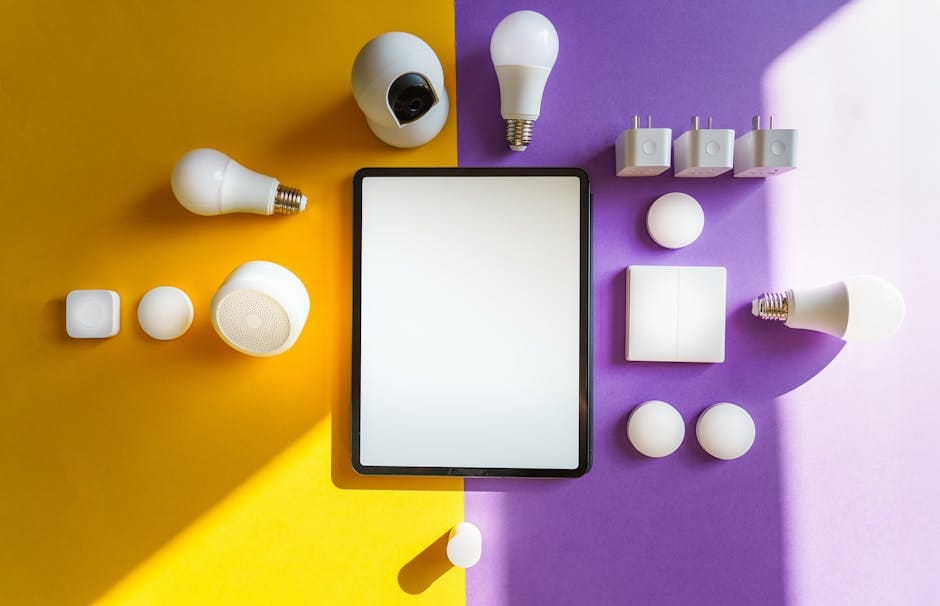
My first smart home device was a Philips Hue starter kit in 2015. By 2018 I had routines, geofencing, a voice assistant in every room, and a phone full of apps I rarely opened. By 2021 I'd thrown most of it out. The smart switches that stopped responding after a firmware update. The "intelligent" thermostat that couldn't figure out when I was actually home. The smart plug that needed its own app to tell it to turn on a lamp. The robot vacuum that mapped the house beautifully and then went silent for three weeks after an app update broke its authentication.
Here's where I landed after a decade of this. A short list of products that actually make life better, and a much longer list of things you should avoid. If you're building a smart home in 2026, spend your money on the first list and ignore the second. A smart home is only valuable if it disappears into your life. The moment you're opening an app to make something work, you've failed.
What's actually worth buying
Smart thermostat: Ecobee Smart Thermostat Enhanced
The Ecobee learned my schedule in three days. It adjusts for humidity. It works with a remote sensor in the upstairs bedroom so the temperature the thermostat reads isn't just whatever it feels downstairs in the hallway. Price is $189. The Nest Learning Thermostat is also good, but Google keeps removing features and changing integrations, which makes me nervous about recommending it.
Real savings: my gas bill dropped about 12% year over year. That paid for the thermostat in one winter. The savings compound every year after that. Bonus: the Ecobee works with Apple Home, Google Home, and Alexa — not just one ecosystem. Most Nest features are locked to Google's ecosystem, and Google's ecosystem has been quietly deteriorating for several years.
One caveat: your HVAC system has to be compatible. Modern systems almost always are. If you have a heat pump with multi-stage heating, check the Ecobee compatibility wizard before you buy. Their support is thorough on this front.
Video doorbell: Reolink Doorbell PoE
I put Ring out with the garbage last year. The subscription creep is unforgivable — you now pay to access your own video history. The Reolink PoE doorbell records to a local NVR, works with Home Assistant, and costs $169 one-time. The picture is sharper than any Ring I've owned. No monthly fee, ever.
Caveat: installation requires a network cable to the doorbell location. If you can't run one, the Aqara G4 with HomeKit Secure Video is the wireless answer, but the video quality is lower. A couple of options for getting Ethernet to the doorbell: fish a cable through the wall during a renovation, use a powerline adapter (with an outdoor-rated splice box), or hire an electrician for a one-hour job. Total cost for most homes is under $200 and the results last decades.
The bigger principle here: local storage beats cloud storage for home security. You own the footage. You don't depend on a company's servers staying online. You don't pay monthly for access to your own data. Any security system that requires a subscription for basic functionality is a bad deal over five years.
Smart lock: Aqara U100 or Yale Assure Lock 2
A smart lock is one of the few automations that pays back daily. Fingerprint unlock at your front door. Auto-lock after 60 seconds. Unique codes for the cleaner, the dog walker, and that friend who always forgets his keys. The Aqara U100 costs $179 and supports Matter. The Yale Assure Lock 2 with HomeKit is $229 and has been rock-solid for two years in my house.
Avoid anything that requires you to open an app to unlock. That's worse than using a key. The magic of a smart lock is that you stop thinking about keys. Fingerprint, PIN, or phone proximity — any of those is fine. An app that takes eight seconds to load is a step backward.
Choose a lock with a physical key backup. Every smart lock sold by Yale, Schlage, and Aqara has one. If the batteries die and nobody has the app up, you still need to get into your house. The keyhole is boring and it works.
Lighting: Philips Hue bulbs for the rooms that matter
Smart bulbs in every room is overkill. Smart bulbs in the two or three rooms where you change lighting moods — living room, bedroom, dining — is actually useful. A single Hue dimmer switch stuck to the wall lets anyone adjust lighting without reaching for a phone. That's the magic ingredient most people skip.
Philips Hue is expensive. Ikea Tradfri is about 40% cheaper and works fine if you use Home Assistant or the Matter update Ikea rolled out last year. I've run both. The Hue hub is more reliable. The Ikea bulbs are more affordable. Choose based on which problem bothers you more.
The deeper reason not to smart-bulb everything: when a smart bulb loses connectivity, you lose the light. A switch that no longer flips the lamp is a miserable daily experience. Keep dumb bulbs with physical switches in utilitarian rooms — closets, utility rooms, bathrooms. Save the smart bulbs for rooms where you'd actually change color temperature or dim them.
Matter-over-Thread motion sensors
The single best automation in my house: when I walk into the kitchen after 10 p.m., the under-cabinet LEDs turn on at 15% brightness. No phone, no voice command. Just a motion sensor and a rule. The Aqara P2 and the third-generation Hue motion sensor both do this reliably. About $40 each.
Place these in hallways, bathrooms, and entryways. Skip them in bedrooms — every motion sensor has a ghost-triggering problem at 3 a.m. eventually. The motion sensor that stops you from scratching your shins walking to the kitchen at night is a daily win. The motion sensor that turns your bedroom lights on when your partner walks to the bathroom is a marriage problem.
Pair motion sensors with ambient light sensors. Don't turn on the lights during the day. The rule should be "motion AND low light." Most decent smart home platforms support this compound condition natively.
What to skip entirely
Smart fridges. Every single one. You will not use the screen. It will get sticky, then cracked, then stop connecting. The $800 premium over a dumb fridge buys nothing durable. In five years Samsung will stop pushing updates and the screen will be a paperweight embedded in your kitchen.
Smart toasters, smart coffee makers, smart sous vide circulators with Wi-Fi. You still need to add the bread. You still need to fill the water. The app is a step between you and the physical action, not a replacement for it. A good dumb coffee maker costs half as much and still works in 2035.
Voice-controlled blinds. The motor is fine — get smart blinds. The voice control layer adds breakage. Use a scheduled routine and a wall-mounted scene controller instead.
Any device that requires a Zigbee-to-Cloud bridge from a startup. If that company folds, your $300 worth of gear becomes an expensive paperweight. Choose Matter, HomeKit, or Thread-native devices whenever possible. The Matter standard is specifically designed to prevent this problem — devices that support Matter natively continue to work even if the manufacturer disappears, because the interoperability is baked into the protocol.
Smart air fresheners, smart plant pots that ping your phone, smart mirrors that show your calendar, anything that's "smart" for a job a dumb object already handles. Marketing departments are paid to find reasons to add electronics. Most of those reasons don't survive contact with a real user's Tuesday evening.
The platform question
You have four options. Picking the right one saves years of frustration.
- Apple Home. Simple, secure, works with HomeKit devices and Matter. The best choice for non-technical users. Limitations: fewer devices, occasional reliability hiccups. Requires a home hub — a HomePod mini ($99) or an Apple TV 4K ($149) does the job.
- Google Home. Decent voice control, good if you're deep in Google's ecosystem. Matter support is maturing but still uneven. Google has a habit of sunsetting products and services, which makes long-term investment risky.
- Amazon Alexa. The broadest device support. Amazon keeps changing the service tiers and shutting down APIs. Not recommended as your primary platform in 2026.
- Home Assistant. The enthusiast's choice. Runs on a $60 Home Assistant Green box you plug into your router. Works with everything. Requires some configuration. Worth it if you like tinkering.
My own setup is Apple Home for the living room level automations everyone in the house uses, with Home Assistant running in the background for the complicated stuff — energy monitoring, multi-condition automations, the weird Zigbee hardware nobody else supports. Most people don't need both. Most people should pick Apple or Google and stop there.
If you're in a mixed household where different family members use different phones, Apple is only an option if everyone has iOS devices. For Android households or mixed setups, Google Home is the practical default. Both work. The choice is mostly about which phone ecosystem you already live in.
One more thing
Buy one device at a time. Live with it for a month. If you don't use it, don't buy the next one. The path to a smart home that works is restraint. The path to a smart home that turns into a cable drawer full of dead hubs is buying the bundle.
Get a good thermostat, a smart lock, two motion sensors, and four smart bulbs with a physical dimmer. That's 80% of the benefit for 20% of the cost and 10% of the complexity. The rest is mostly theater.
The smart home isn't coming. It has been here for ten years. It's just much smaller and more useful than the marketing promised. A handful of well-chosen devices, configured once and ignored forever, beats the sprawling setup every time. Buy less. Use more. Get on with your life.