Streaming Devices Ranked: Apple TV 4K, Shield, Fire Stick, Roku
Your TV has built-in streaming. It's also slow, ad-covered, and will stop getting updates in two years. Here's the better option.
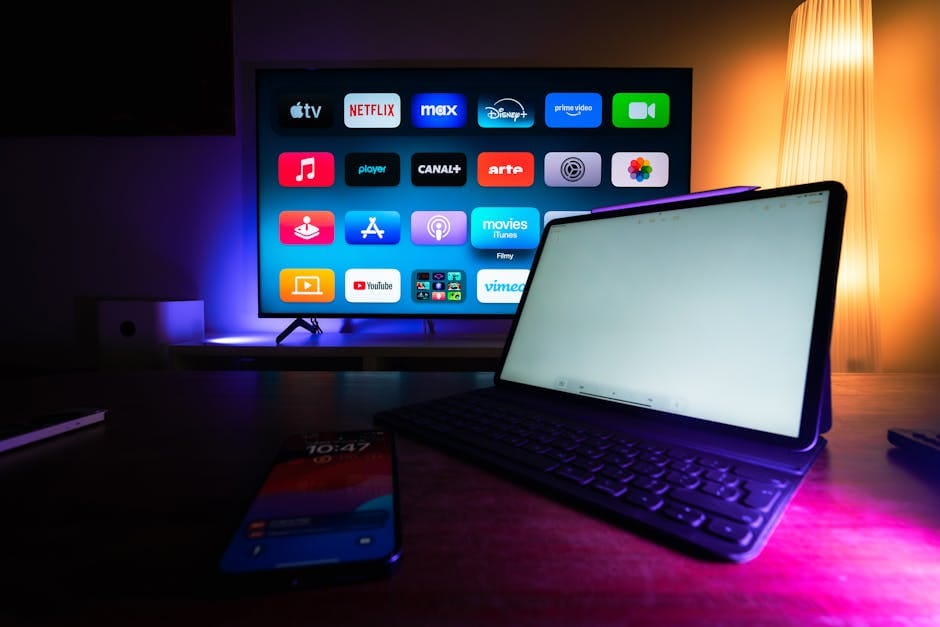
Your TV has streaming apps built in. They're terrible. They're slow, they show ads in the interface, and the manufacturer will stop updating them in two years. The remote has a Netflix button that can't be reprogrammed. The whole experience is optimized for selling you things, not for letting you watch what you want.
A $50 streaming device fixes all of this. A $150 one does it with significantly better picture processing. A $250 one does it with features no TV platform offers. Here's which one to buy, because the category's standards vary more than they should at equivalent price points.
Apple TV 4K (2022+) — $129-149
The best streaming device for picture quality, interface smoothness, and privacy. Full stop. If you have any iOS devices in your household, this is the pick.
Picture quality: the Apple TV applies its own video processing that outperforms most TVs' built-in processors. Color, motion, and upscaling from 1080p content to 4K look genuinely better than the same content played through a TV's native app.
Interface: consistent across all apps. No ads on the home screen. The remote is excellent — actually works like a remote should, with defined buttons and no accidental touch surface triggers.
Apps: every major streaming service has a native Apple TV version. Most of them are better on Apple TV than on any TV platform — Netflix's and HBO's interfaces are more responsive, the Apple TV app itself handles rental and purchase intelligently.
Privacy: the only streaming device that doesn't collect your viewing habits for advertising purposes. Apple's privacy model extends to TV use.
Downsides: price. $129 for the 64GB Wi-Fi model, $149 for the 128GB Wi-Fi + Ethernet. Fire Sticks are $35. The quality difference justifies the price, but the entry cost is higher.
When to buy the Ethernet version
The $149 Apple TV 4K has a Gigabit Ethernet port. If your router is close enough to run a cable, this is a meaningful upgrade. 4K streaming is less reliable over Wi-Fi in most homes than users realize. A wired connection eliminates buffering, HDR dropouts, and resolution downshifting. Add $20 for the Ethernet version and a $5 Cat 6 cable.
NVIDIA Shield TV Pro — $199
The enthusiast pick. The only streaming device that can play the full range of media formats a typical home user might encounter — not just streaming services, but Kodi, Plex Media Server (as a client), local 4K HDR files with 5.1 audio, emulated retro games via RetroArch, and more.
The Shield's Tegra X1+ chip is still competitive for AI-powered upscaling (automatic 1080p-to-4K improvement). The AI Upscaling feature is genuinely good for upscaling older content — it's subtle but noticeable in side-by-side comparison.
The Shield runs Android TV, which has its advantages (bigger app library than Roku for non-standard apps like Twitch or niche streaming services) and disadvantages (Google's interface ads and promotional tiles).
For users who have a local media library, run Plex, or want console-like capabilities beyond simple streaming, the Shield is worth the price. For people who only use Netflix, Apple TV+, and Hulu, it's overpriced compared to the Apple TV.
Audio capabilities
The Shield passes through all major audio formats — Dolby Atmos, DTS:X, Dolby TrueHD, DTS-HD Master Audio. For connection to an AV receiver, this is the most complete audio support available in any streaming device. Apple TV doesn't pass DTS-HD Master Audio, which matters for Blu-ray rips via Plex.
Roku Streaming Stick 4K — $49-59
The value pick. $49 for a streaming stick that does the essentials — 4K HDR, supports all major streaming services, simple interface, decent remote.
The Roku interface is the simplest of the four. Every app is a tile on a grid. No algorithmic feed trying to recommend things. No ads in the interface beyond some featured content tiles.
The Roku's processor is slower than Apple TV or Shield. Interfaces can feel sluggish. But the basic task of "open Netflix, pick show, watch" is handled fine.
Roku's remote has a specifically useful feature: headphone jack on some remote models. Plug in earbuds and listen without disturbing anyone else in the room. This is the only streaming device that does this well natively.
Amazon Fire TV Stick 4K Max — $39-59
The budget pick if you're already deep in Amazon's ecosystem. $59 for a capable 4K HDR streamer that integrates tightly with Alexa, Prime Video, and Amazon purchases.
The Fire Stick's problem: the interface is designed to sell you Amazon products. Home screen is dominated by Amazon Prime content and suggestions. Ads appear before apps load.
If you can tolerate this and primarily watch Prime content, it's fine. If you use other streaming services primarily, one of the other three is a better daily experience.
Chromecast / Google TV Streamer — $99
Google's entry in the streaming box category. Google TV interface is actually quite good — cross-service content discovery, cast from any phone easily.
The downside is Google's deprecation history. The original Chromecast was abandoned. The Chromecast with Google TV was abandoned. The current Google TV Streamer might be supported for 3 years or might be discontinued next year. Investing in a Google hardware platform is a coin flip.
Only recommend to Google-ecosystem households who specifically want Google Assistant integration.
Why the built-in TV apps are bad
Most smart TVs run proprietary platforms — Samsung's Tizen, LG's webOS, Roku TV OS, Amazon Fire TV built-in. These have specific problems that streaming devices solve:
- Slow app launches. A TV's built-in processor is sized for the TV's ambient use, not for smooth app performance. Each year the TV gets slower as apps expect more from hardware that was adequate at launch.
- Ads in the interface. Home screens show promotional content, often undismissable.
- Update abandonment. Manufacturers typically update TV firmware for 3-4 years. Streaming devices get updated longer, and when they stop, you replace the $100 device, not the $1,200 TV.
- Data collection. Smart TVs collect extensive viewing data and sell it to advertisers. Most streaming devices collect less. Apple TV collects effectively none.
- Inconsistent app quality. The Netflix app on a Samsung TV has different features and responsiveness than the Netflix app on an Apple TV. The streaming device version is almost always better.
What to buy
Apple TV 4K if you care about picture quality, interface polish, and privacy. The default for iPhone households.
NVIDIA Shield TV Pro if you run local media servers, use Plex extensively, or want the most capable Android TV box available.
Roku Streaming Stick 4K if you want something simple and cheap that doesn't try to be clever about recommending things.
Fire Stick 4K Max if you're already an Amazon household and don't watch much outside Prime Video.
Skip the Chromecast/Google TV Streamer unless you have a specific reason to want Google's ecosystem on your TV.
Physical setup tips
Put the streaming device on the main HDMI port of your TV (usually HDMI 1). Some TVs have better image processing or higher HDMI bandwidth on specific ports — your manual will say which.
Use a real HDMI 2.1 cable (Anker pack, $15 for two) if you have a streaming device that supports 120Hz or Dolby Vision variable refresh rate.
Enable "Match Frame Rate" in Apple TV settings (for iPad content shot at 24fps, match the TV's refresh rate to prevent stuttering). This feature genuinely improves movie watching.
Disable "Motion Smoothing" on your TV. The streaming device handles motion processing; the TV's additional interpolation creates the soap opera effect most directors specifically want to avoid.
The overlooked improvement
A good streaming device plus a decent TV gives you a better experience than a mediocre streaming device plus a premium TV. The image processing, interface, and update longevity of the streaming device matters more than the TV specs for most daily watching.
Budget allocation matters. A $1,000 budget for picture quality should be roughly $850 on TV and $150 on Apple TV 4K, not $1,000 on TV with built-in apps. The experience is measurably better.
Your smart TV was designed to sell you something beyond the TV. Your streaming device was designed to help you watch things. The distinction shapes the daily experience. Buy the right streaming device once, use it for five years, forget about TV interfaces. That's the win.