The Cable Drawer: USB-C Accessories That Are Actually Worth Keeping
Most of the USB-C cables in your drawer are bad. Here's how to tell which ones are worth keeping and which to replace.
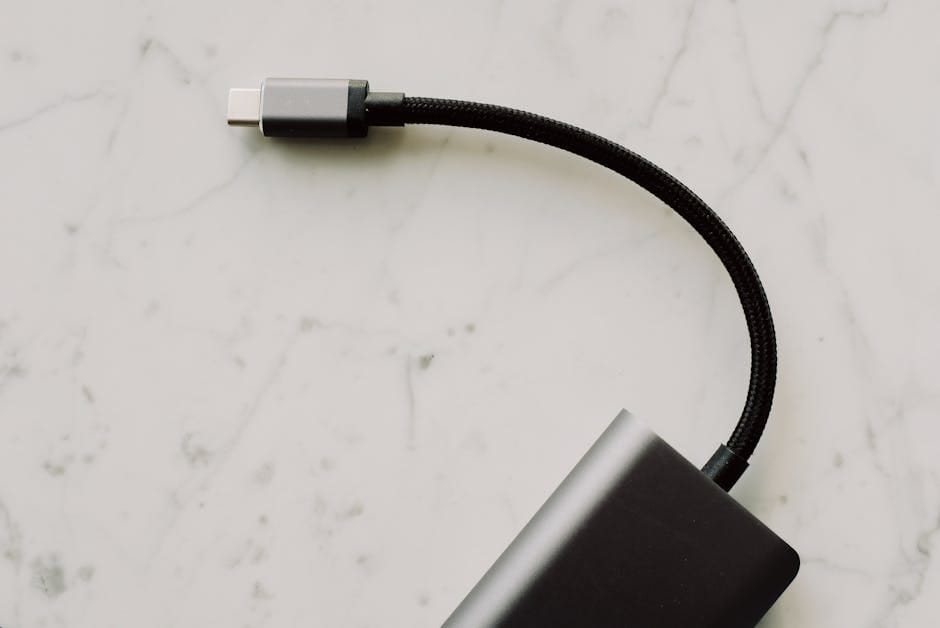
Your kitchen drawer has seven USB-C cables in it. Four of them came with devices. Two were bought in a pinch at an airport. One was a gift with purchase. All of them charge your phone, but at wildly different speeds. Two of them charge a MacBook. One of them runs a monitor at 4K. The rest are 60W cables pretending to be anything.
USB-C is the closest thing we have to a universal standard, which is why it's the most-counterfeited port in consumer electronics. A cable labeled "USB-C 100W" can in reality be a 20W cable with a wide plastic connector. A charger labeled "PD 65W" can deliver 65W to one device and 12W to another. The specs on the box often don't match what the cable can actually do.
This is the guide to throwing out most of the USB-C accessories in your drawer and keeping only the ones that work.
Cables: the ones that matter
Anker 240W USB-C to USB-C (2m or 3m) — $22
If you can have only one USB-C cable, this is it. 240W capability means it handles a MacBook Pro's full charging rate (140W) with headroom. It's USB 4.0 rated so it handles data at 40 Gbps, which matters if you move files between drives or connect external monitors.
Buy the 2m version unless you specifically need shorter. Shorter cables are easier to tangle and don't reach around furniture. The 3m is useful for desks where the charger is far from where you sit.
Nimble PowerKnit USB-C (short) — $19
For use with power banks, a 6-inch cable is the correct length. Long cables become mess. The Nimble PowerKnit is the best short cable I've used — braided shell that doesn't kink, firm connectors that don't wiggle after six months.
Two short cables plus one long cable is the right cable collection for most people.
Avoid: any cable where the connector is loose after a month
Cheap cables fail at the connector. Plug in the cable, wiggle the connector. If there's any slop, the cable won't last. Good cables have tight connectors that require a deliberate pull to remove.
Anker, Nimble, Baseus, and Belkin are reliable brands. Avoid generic cables from Amazon listings without a brand name — most of them are over-rated for wattage and fail within months.
Wall chargers
Anker 747 Charger — $149
150W total across four ports (two USB-C, two USB-A). Small enough to travel with. GaN technology keeps it cool. This is the charger I travel with and the charger I keep at my desk.
It handles a MacBook Pro (100W through USB-C), an iPad (45W), and a phone (30W) simultaneously without any one device slowing down. The dynamic power allocation is genuinely smart — devices that need more power get it first.
UGreen Nexode 100W — $79
If you want a simpler three-port charger for less money, the UGreen 100W Nexode is the right pick. Same GaN technology, two USB-C ports plus one USB-A. Handles a MacBook Air, an iPad, and a phone without any compromise.
Avoid: anything labeled "45W maximum" at the $60+ price point
45W is not enough for a modern laptop to charge properly under load. You'll see your battery percentage go down while plugged in, which is the sign of insufficient wattage. Step up to at least 65W for any laptop charger, and 100W for a modern MacBook Pro.
Hubs and docks
Anker 555 USB-C Hub (7-in-1) — $45
For travelers who need HDMI, USB-A, and SD card readers added to a laptop, this is the entry-level dock. Plug it into one USB-C port on your laptop, get seven extra ports. No power passthrough (meaning you can't charge the laptop while using the dock), but for short sessions or travel it's fine.
CalDigit TS4 Thunderbolt 4 Dock — $379
For a permanent desk setup with a MacBook Pro or Thunderbolt 4 Windows laptop, the TS4 is the gold standard. 98W of power delivery to the laptop, 18 ports total, supports two 4K monitors simultaneously. Expensive, but a dock you'll own for a decade.
Cheaper alternatives exist (OWC Thunderbolt Hub, Kensington SD5700T) but the TS4 has the most reliable multi-monitor support, which is the main reason to buy at this price point.
The dock to avoid
Avoid any dock under $150 that claims to support dual 4K displays at 60Hz. The cheap docks do it by compressing signals, which means you get 4K that stutters during scrolling or has weird color banding. The problem only shows up after you've lived with the dock for a week and realized something's wrong.
Adapters: the hidden trap
USB-C to HDMI 2.1 — Anker Nylon Braided — $29
If you occasionally plug into TVs or conference room displays, a short USB-C to HDMI cable is more useful than an adapter. Adapters fail more often than cables (physical wear on connectors on both sides).
USB-C to 3.5mm headphone adapter — Apple Brand — $9
The Apple adapter has a better DAC than most "audiophile" USB-C dongles at 4x the price. It's the default answer for connecting wired headphones to USB-C-only laptops or phones.
SD and microSD card readers
Photographers need one. The Lexar Multi-Card 3-in-1 USB-C Reader ($25) handles SD, microSD, and CompactFlash at full speed. For occasional use, any Anker-branded reader at the $15 price point works.
Avoid the cheap no-name readers at $8. They lose connection halfway through large file transfers and you'll lose photos to corruption.
Wireless charging
Apple MagSafe Charger — $39
If you have an iPhone, the official MagSafe charger is cheaper than equivalent third-party options and works reliably. 15W fast charging to supported iPhones, 7.5W to older Qi devices.
Belkin BoostCharge Pro 3-in-1 — $149
For a nightstand that charges phone, AirPods, and Apple Watch simultaneously, this is the clean answer. The magnetic alignment on the iPhone pad is accurate, which is the thing cheaper chargers get wrong.
Avoid 3-in-1 chargers under $80 — the alignment for iPhone MagSafe is almost always bad, and you'll waste time each night trying to get the phone to charge.
Power banks
Anker 737 — $149
Covered in depth elsewhere. 24,000 mAh, 140W output. Charges a MacBook Pro. Best travel power bank made.
Anker 325 (20,000 mAh, 45W) — $69
For day-to-day carry without the premium of the 737, this is the practical pick. Enough capacity for two phone charges plus an iPad top-up. 45W is enough for an iPad Pro but marginal for a laptop. Fine for most travelers.
What to actually throw out
Any cable that came with a device you no longer own. Device-bundled cables are the cheapest possible specification that meets the minimum requirement of that device. They're almost always slow for data and wattage.
Any charger under 18W. A 5W charger from 2016 is now a paperweight. It's not safe for modern phones (most modern phones won't fast charge from it but will draw power inefficiently).
Any adapter you haven't used in a year. Dongles accumulate. Every six months, look through the drawer and toss anything you haven't touched.
Any power bank with a micro-USB input port. Micro-USB is dead for charging — the world moved on. If you need a new power bank, get one with USB-C in and USB-C out.
What the drawer should contain
Minimalist USB-C kit for a household of two:
- Two 240W USB-C-to-USB-C cables (one 2m, one 3m).
- Two 6-inch USB-C cables for power bank use.
- One short USB-C-to-Lightning cable for any remaining older Apple devices.
- One multi-port GaN charger (Anker 747 or UGreen Nexode).
- One power bank (Anker 737 for travel, Anker 325 for daily carry).
- One 7-in-1 USB-C hub for travel adapter needs.
- One SD card reader if you use a camera.
Total: 8 items. Most drawers have triple that — and work worse because you can never find the right cable.
The label trick
Every cable I own has the wattage rating written on it with a silver Sharpie at the base of the connector. 240W, 100W, 60W. This single habit saves minutes every time I need a specific cable for a specific task. The tiny printed labels on cables fade within months. Your silver marker doesn't.
The deeper principle: USB-C is a protocol stack, not a single feature set. A cable might support 100W and 40 Gbps, or it might support 20W and 480 Mbps, and both look identical. Once you know which cable is which, organizing them becomes effortless. Until then, you're playing a guessing game every time you plug something in.
Replace the bad cables once. You'll never miss the nest of unknown cords again.