The iPad Pro Is Not a Laptop Replacement. Here's What It Actually Does Well.
Apple keeps marketing the iPad Pro as a laptop replacement. It isn't, and trying to use it that way is frustrating. Here's what it really does well.
Every year Apple runs an ad where someone replaces their laptop with an iPad Pro and stares meaningfully into the middle distance. Every year a fresh wave of people buys into the promise, tries to work from an iPad for a month, and ends up back on their MacBook. The iPad Pro is an incredible device. It is not a laptop replacement. And pretending otherwise has done the iPad real damage — because it makes people judge it against a standard it was never built to meet.
I own the iPad Pro 13-inch M4 with the Magic Keyboard. I've used it for two years. I love it. I also own a MacBook Pro, and that's the laptop. The iPad has its own role. Figuring out what that role actually is — instead of pretending it's a laptop — is the key to actually enjoying the device.
What the iPad Pro does better than any other device
Reading and note-taking
The iPad Pro is the best digital reading device ever made for technical content. Long PDFs, research papers, dense nonfiction. The screen is the right size. You can mark up pages with the Apple Pencil. You can split-screen with your notes app. No laptop gives you this combination of features in the form factor.
For students and researchers, the iPad Pro has meaningfully replaced the printed textbook and the paper notebook combination. GoodNotes 6 or Notability turns PDFs into handwritten notebooks. You read on the left, write on the right, and never lose either.
For anyone who reads a lot of long-form content — journal articles, internal reports at work, strategy documents — the iPad is the tool.
Creative work with the Pencil
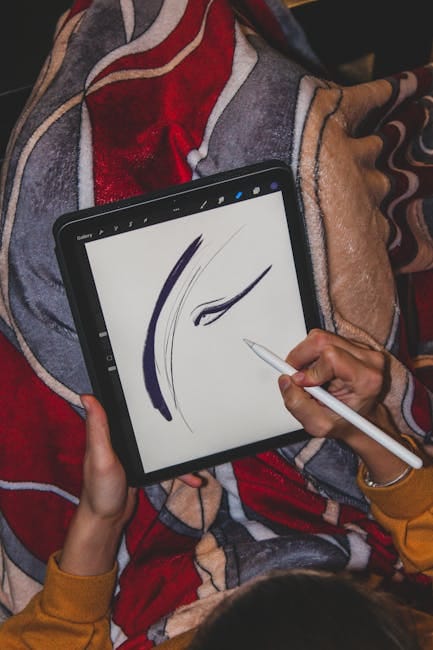
Procreate on the iPad Pro is the industry standard for digital illustration among independent artists. Affinity Designer 2 and Affinity Photo 2 both run natively. Graphic design, sketching, and image editing work on an iPad in ways they don't on a laptop — the direct manipulation of a canvas with the Pencil is fundamentally different from pointing at a screen with a mouse.
If your job or hobby involves visual creation, the iPad Pro earns its price on this capability alone. The 13-inch model's screen real estate is worth the extra money over the 11-inch.
Video watching in bed
It's a practical observation, but it matters: the iPad Pro is the best device for watching a film in bed. A laptop gets too hot on the blanket. A phone screen is too small. The iPad sits on your chest or a stand, runs for six hours on battery, and the mini-LED display on the Pro is properly cinema-grade.
For couples who disagree on what to watch, two iPad Pros with AirPods in different rooms solves a lot of marital disputes.
Presenting and demoing
The iPad Pro is a brilliant presentation device. Slip it into a sleeve, walk into a conference room, hand it to a client to flip through. The screen is shareable with someone standing next to you in a way a laptop screen is not. Stage Manager works well enough to run Keynote and support materials simultaneously.
For sales, consulting, and any meeting where you're demoing something, the iPad is the better tool than a laptop.
Music production on Logic Pro for iPad
This surprised me. Apple's Logic Pro for iPad is a real music production tool, and the touch interface is genuinely easier for some workflows than the Mac version. Drum pad input is especially natural on a touchscreen. Professional producers use it for sketching ideas.
Why it fails as a laptop
Four specific problems that don't go away regardless of how many iPadOS updates ship.
Window management is fundamentally limited
Stage Manager, after three years of refinements, still only supports four overlapping windows in a single workspace. Real laptop work often involves a browser, a document, an email client, Slack, a spreadsheet, and a calendar — six things — visible simultaneously. You can't do that on an iPad. You shuffle between them.
The underlying issue is that iPadOS was designed around one-thing-at-a-time use. Stage Manager is bolted on top. It works, but it doesn't feel native, because it isn't.
File management is painful
The Files app is better than it was five years ago. It's still a fraction of what macOS Finder or Windows Explorer can do. Dragging files between apps often doesn't work the way you expect. Attaching a specific file to an email from a non-default location requires three extra taps every time.
If your work involves moving files between applications frequently, the iPad adds friction that never goes away.
Web apps run worse
Every web app — Google Docs, Figma, Notion, Airtable, most enterprise software — runs as Safari mobile, even with Stage Manager. The "request desktop site" toggle helps sometimes and breaks other times. Figma specifically has a native iPad app that works, but most other web apps default to a mobile experience that takes up half the screen.
This is the single biggest reason knowledge workers can't use the iPad as a daily driver. Your actual tools don't work right on it.
Professional software has gaps
Excel on iPad is fine. Excel on iPad with 20 complex macros and pivot tables from your company's standard spreadsheet is not fine. Professional software increasingly runs well on iPad, but the long tail of niche-but-essential tools (custom CRMs, engineering software, accounting packages, database clients) doesn't.
For anyone whose work depends on one specific piece of Windows-only or Mac-only professional software, the iPad is automatically out.
When the iPad Pro makes sense as your primary device
It makes sense if your work is primarily one of:
- Illustration, digital art, sketching
- Note-taking and reading-heavy work (lawyers, students, researchers)
- Video editing in LumaFusion for social media creators
- Music production on Logic Pro iPad
- Reading and responding to email, casual writing, basic spreadsheet work — but not as the only device
For most knowledge workers, the iPad is the "couch computer" and the laptop is the work computer. Both are valuable in their lane.
Which iPad Pro to buy
If you're going to use an iPad for the things it's good at, don't skimp. Get the 13-inch model. The extra screen space matters enormously for note-taking and reading. The 11-inch is fine for kids or for someone who already has a second screen. The 13-inch is the one you'll actually use for hours at a time.
256GB minimum for storage. 512GB if you do video work. The $100 upgrade from 256 to 512 is the best value in Apple's configurator.
Get the Apple Pencil Pro. Don't bother with the Pencil USB-C for the iPad Pro — the magnetic charging alone on the Pencil Pro is worth the extra money.
The Magic Keyboard is a strange accessory — it makes the iPad feel like a laptop while not being a laptop. If you'll type long passages on the iPad, buy it. If you mostly use the iPad for the Pencil and consumption, skip the keyboard and save $300.
A note on the iPad Air
The iPad Air M3 at $599 is the right iPad for most people. Unless you specifically benefit from the Pro's mini-LED display or you're an illustrator who wants the 120Hz refresh rate, the Air does 90% of what the Pro does for 60% of the price.
Many people who buy the Pro and try to use it as a laptop end up thinking the iPad disappointed them. They should have bought the Air and saved $800.
The alternative: keep the laptop
For anyone genuinely trying to simplify to one device, the answer is usually a MacBook Air, not an iPad Pro. The M4 MacBook Air is $1,099 and handles everything a laptop user needs. For light creative work that benefits from touch, pair it with an iPad Mini for $499 — and you have two lightweight devices that together are cheaper than an iPad Pro with the Magic Keyboard.
The iPad Pro priced and configured to replace a laptop comes to around $2,200 with Pencil, keyboard, and adequate storage. For that money you can buy a MacBook Pro and a base iPad Air. The two-device answer is almost always better.
The iPad Pro is a beautiful object and a specialized tool. Embracing what it actually does well — reading, drawing, presenting, watching — makes it one of Apple's best products. Pretending it's a laptop makes it a frustrating compromise. Use it for what it is. Keep the laptop for everything else.